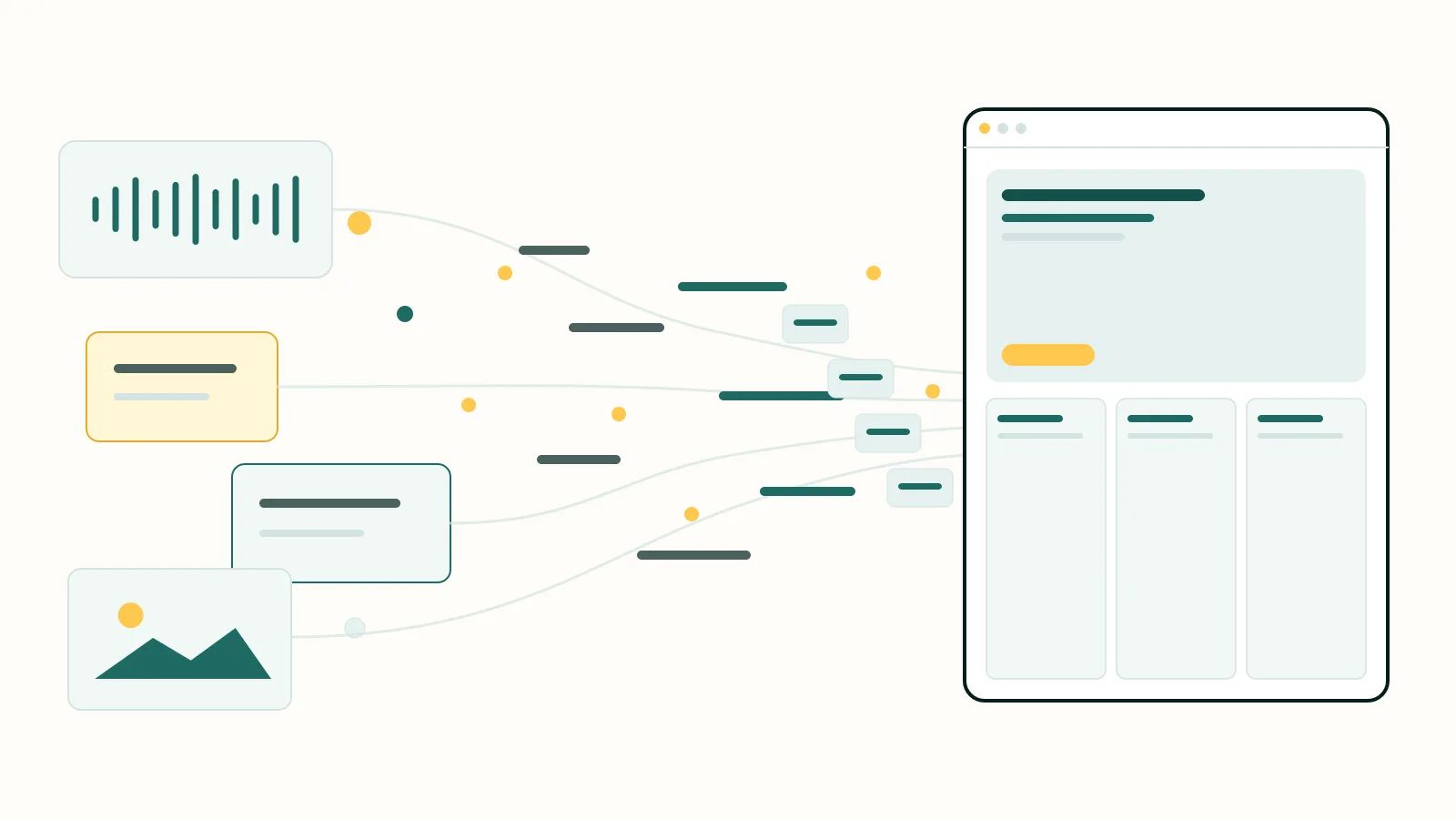
A website project should not begin with someone choosing colours. It should begin with someone understanding the business.
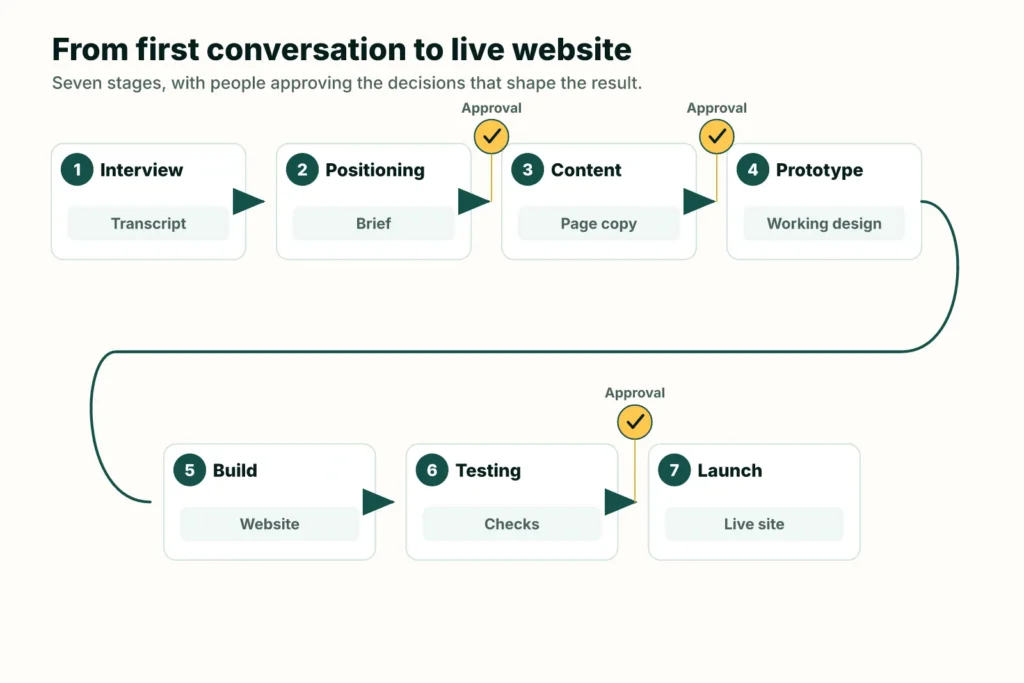
At WebAddress, the working sequence is interview, positioning, content, prototype, build, testing and launch. Each stage produces something the next stage can use. The owner checks the important decisions while they are still cheap to change. AI helps us organise and translate the material, but it does not decide what is true about the business or what should go live.
That is the short version. Here is what happens at each stage.
| STAGE | WHAT WE PRODUCE | WHAT THE OWNER CHECKS |
|---|---|---|
| 1. Interview | Transcript, notes and asset list | Have we understood the business? |
| 2. Positioning | A structured brief | Is this an accurate description of the business and its customers? |
| 3. Content | Page plan and draft words | Are the claims, priorities and calls to action right? |
| 4. Prototype | A realistic design at phone and desktop sizes | Does the information feel clear and recognisably yours? |
| 5. Build | A working website | Does the approved design survive in the real system? |
| 6. Testing | Checks and a review build | Do the forms, links, layouts and important user paths work? |
| 7. Launch | Live site, access and operating record | Is the public result correct, and do you know what happens next? |
1. What happens in the first website interview?
The first interview collects the raw material for the website: what the business does, who it helps, which work it wants more of, what customers worry about, and what proof already exists.
We ask the owner to explain the business as they would to a neighbour. Then we go beyond the first answer. “Quality work and good service” may be perfectly true, but it could appear on almost any competitor’s website. A story about a difficult job, a customer concern or a choice the owner refuses to make gives us something specific.
We also collect the practical material that is easy to forget until it holds up the project:
- service areas and the jobs that should take priority;
- photographs, reviews and relevant qualifications;
- the questions customers keep asking;
- the preferred next step, such as calling, requesting a quote or booking;
- realistic contact expectations and any work the business does not take on.
The interview is recorded with permission. A rough transcript is useful because it preserves the owner’s actual phrases. Polished meeting notes have a habit of turning “people ring because they are worried about being ripped off” into “customers value trust”. The second version is tidier. The first sounds like a person.
This approach matches a broader principle in user-centred design. The GOV.UK Service Manual advises teams to learn what people are trying to do, what frustrates them and which words they use. A small business website has a different scale, but the same logic applies.
2. How does the interview become a website brief?
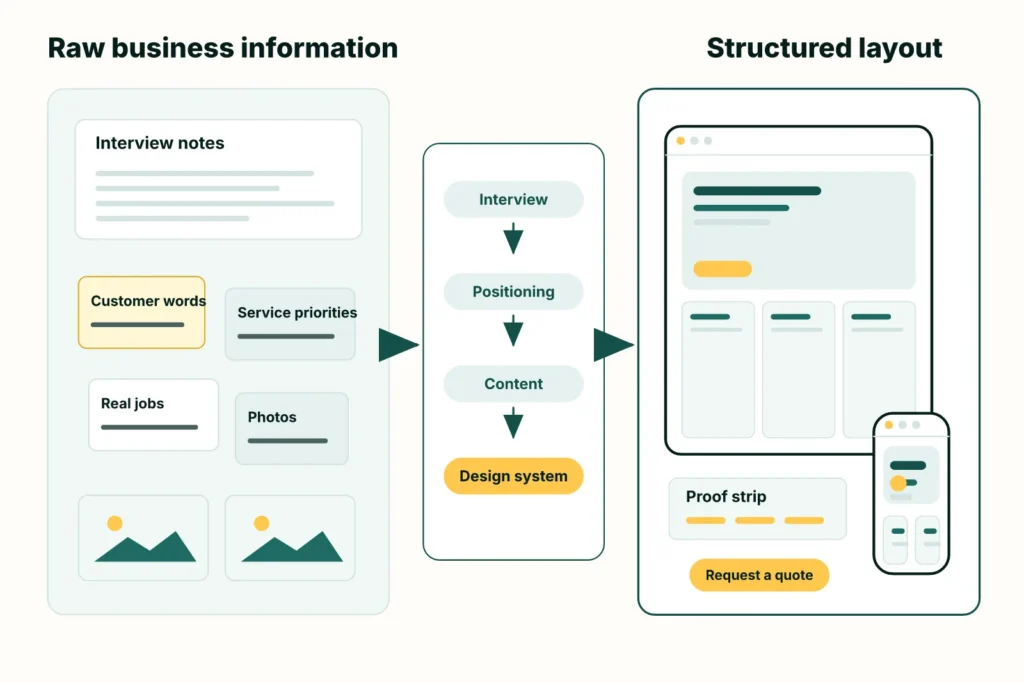
We turn the interview into a positioning brief that states who the business serves, which services matter most, why customers choose it, what evidence supports the claims and how the website should sound.
The brief also separates known facts from missing information. If a date, qualification or promise needs checking, we flag it. If the site needs a photograph or review that does not exist yet, we mark the gap. Plausible filler is still filler.
This is the first approval gate. The question is not “Do you like the design?” There is no design yet. The question is “If a staff member who missed the interview read this, would they understand your business accurately?”
A clear brief prevents a quiet error at the start from spreading into every heading, page and design decision that follows.
3. Why do we write the website before designing it?
We write the website before designing it because the content determines the structure the design must support.
The positioning brief becomes a page plan, headings, service explanations, answers to common objections and clear calls to action. We can then review the meaning without being distracted by fonts and photographs.
This order also makes the design more honest. A layout made for three short service cards may fall apart when the business has one main service that needs a proper explanation. A large testimonial panel is no use when the reviews have not been collected. Approved content gives the designer the real problem to solve.
Where search matters, we research the phrases customers use and the pages already answering those questions. The client’s facts and voice still set the limits. Google’s guidance on helpful, people-first content favours original information, first-hand expertise and pages that leave the intended reader with a useful answer. Repeating a popular phrase is not a substitute for any of those things.
4. Where does AI enter the design process?
AI enters after we have reliable context. It helps turn approved content, real images and brand constraints into design directions that can be reviewed as working pages.
The prototype shows hierarchy, spacing, type, colour, image placement and responsive behaviour. It should feel close enough to a real website that the owner can judge it. A wireframe that says “headline here” cannot tell us whether the actual headline fits.
We review the design at phone and desktop sizes. The aim is to check how clearly the information comes across., not to spend an afternoon nudging one decorative shape around.
5. How does the approved design become a real website?
The approved design is translated into the production website using the same content, layout rules and reusable design values.
For most WebAddress client sites, the publishing system is WordPress. A straightforward brochure site may need a simpler publishing system., while bookings, a shop or regular client editing need a system that can grow. That choice is made from the owner’s needs rather than from a blanket preference for one tool.
Colours, type sizes and spacing are treated as a system. Repeated page parts are built as reusable components. The words used in the prototype become the words on the site; placeholder copy does not get a chance to become permanent by accident.
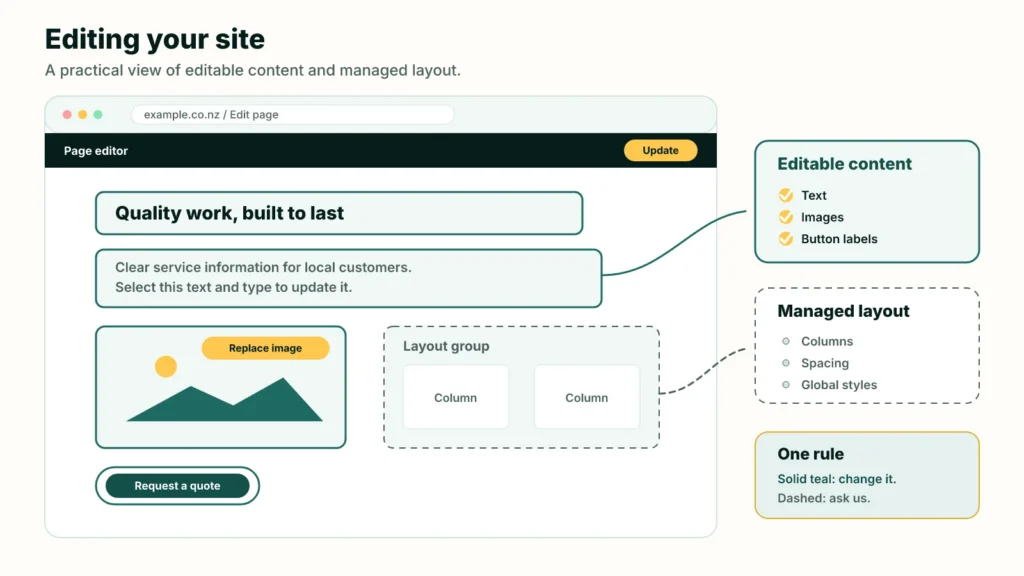
When a client wants to edit the site, we can keep ordinary content editable while protecting structural parts from accidental movement or deletion. WordPress documents both block locking and templates with locked and editable areas. The exact arrangement depends on the site, but the idea is simple: change the photograph without dismantling the page around it.
6. What gets tested before the client sees the website?
The working site is checked on phone and desktop, including navigation, forms, links, images and the main actions a customer needs to complete.
We use automation where it gives a definite answer. A browser can render pages at set widths and compare new screenshots with accepted ones. Playwright’s visual comparison tools, for example, store a reference image and report later differences. This is useful for catching an unexpected shift on a page that nobody intended to touch.
Automation does not replace looking at the site. Accessibility testing itself includes automated, semi-automated and manual methods, as the W3C Accessibility Conformance Testing overview explains. A tool may find a missing label. A person still needs to judge whether the page makes sense and can be used.
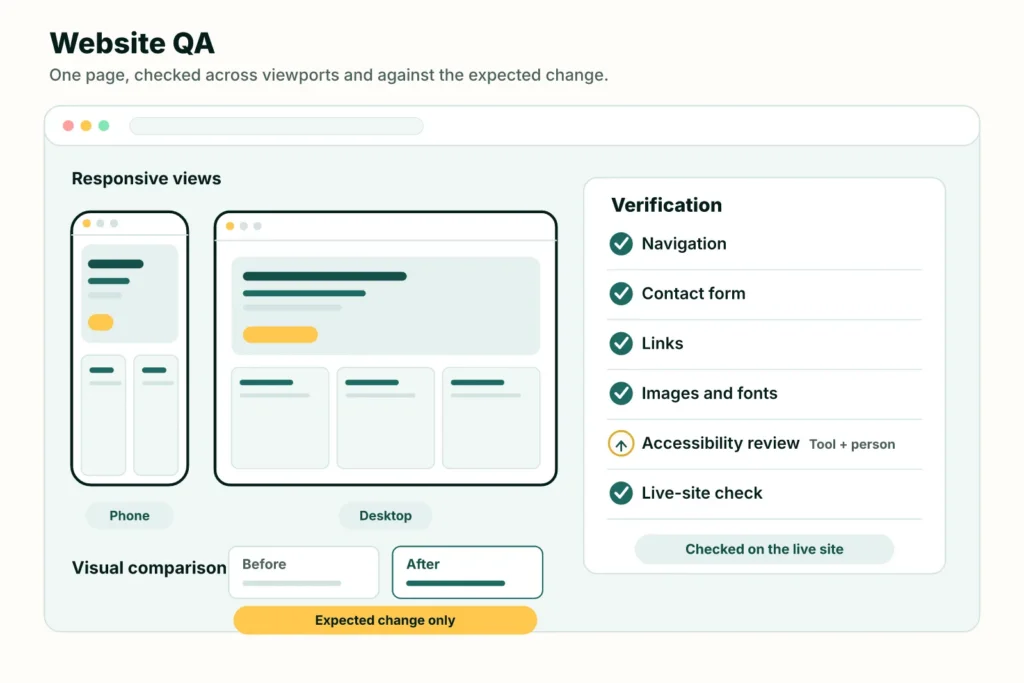
Before launch, we check at least:
- phone and desktop layouts;
- navigation, buttons and links;
- real form delivery, not merely a success message;
- titles, descriptions and page headings;
- important accessibility basics;
- whether the deployed page loads its styles, scripts, fonts and images correctly.
The client receives a review link after this pass. They should not be the first person to discover that the menu does not open.
7. What happens when the website goes live?
Launch includes the website, its domain and email arrangements, a verified deployment, access for the owner, backups and clear instructions for future changes.
We check the public site after deployment. A file reaching a server is an event; a visitor receiving the correct page and all its assets is the result that matters.
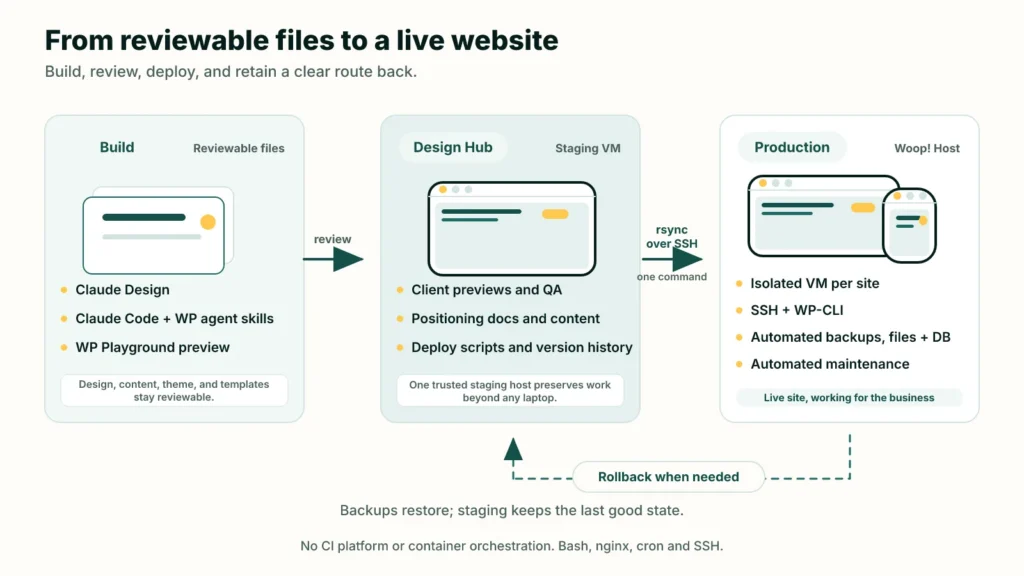
The project record keeps the interview, approved brief, content, design decisions and change history together. That matters months later when the business adds a service or changes direction. Nobody needs to reconstruct the original reasoning from an email named final-final-v7.
The site then moves into maintenance. Software updates and backups are part of that work. So are content changes, new pages and small adjustments as the business changes. A website is most useful when it can evolve without forgetting what it was built to do.
How long does the website design process take?
For a standard WebAddress small-business site, the current service is typically about a week – and getting shorter each time we create a new design – from the first interview when the information and feedback arrive on time. A shop, booking system, large catalogue or delayed approval changes the schedule.
WebAddress is RimuHosting’s website design and managed hosting service.
If you want to see whether this process fits your business, book a half-hour chat with one of our WebAddress website designers. Rough notes are enough. We will ask the questions and show you what happens next.
You can also read what a web designer needs from you or compare an AI website builder with an AI-assisted design service.